Forecasting time series with Mistral's Timestral
I came across Timestral, a family of time series models that Mistral released this month, and wanted to see it run on my Mac. It does zero-shot forecasting: you hand it the history of a series it has never seen, and it forecasts what comes next, with a range around each value, without any training on that series. It comes in four sizes, from 5 million to 209 million parameters, and Mistral says it doesn't need a GPU.
Running it on my Mac
My Mac has an M1 Pro with 32 GB of memory, which holds even the largest size easily: its weights are 837 MB. Mistral's timestral Python package downloads the weights from Hugging Face and runs them with PyTorch. It all happens on the CPU, because the package does some of its arithmetic in 64-bit floats, which PyTorch can't do on Apple's GPU. The CPU turned out to be plenty: the largest size forecasts those two years of airline passengers in about 125 ms.
Then I made a small browser app to look at the forecasts. It shows a series, forecasts it from a point partway through, and lays the real values that came after over the forecast, so you can see how close it got. I loaded four real series and five made-up ones. The app, and the scripts that made the forecasts below, are in my timestral repository.
Try it
Pick a dataset, then move Forecast from along the series. Pick a size to shade its range, or expand the panel to fill the window. Every forecast here was made ahead of time on my Mac, so the page only shows them.
The made-up series are there to poke at it. The random walk has nothing to predict, and the shading fans out to say so. The level shift jumps at hour 1,200, so a forecast from before the jump can't see it coming.
A cut-paper collage theme for Home Assistant
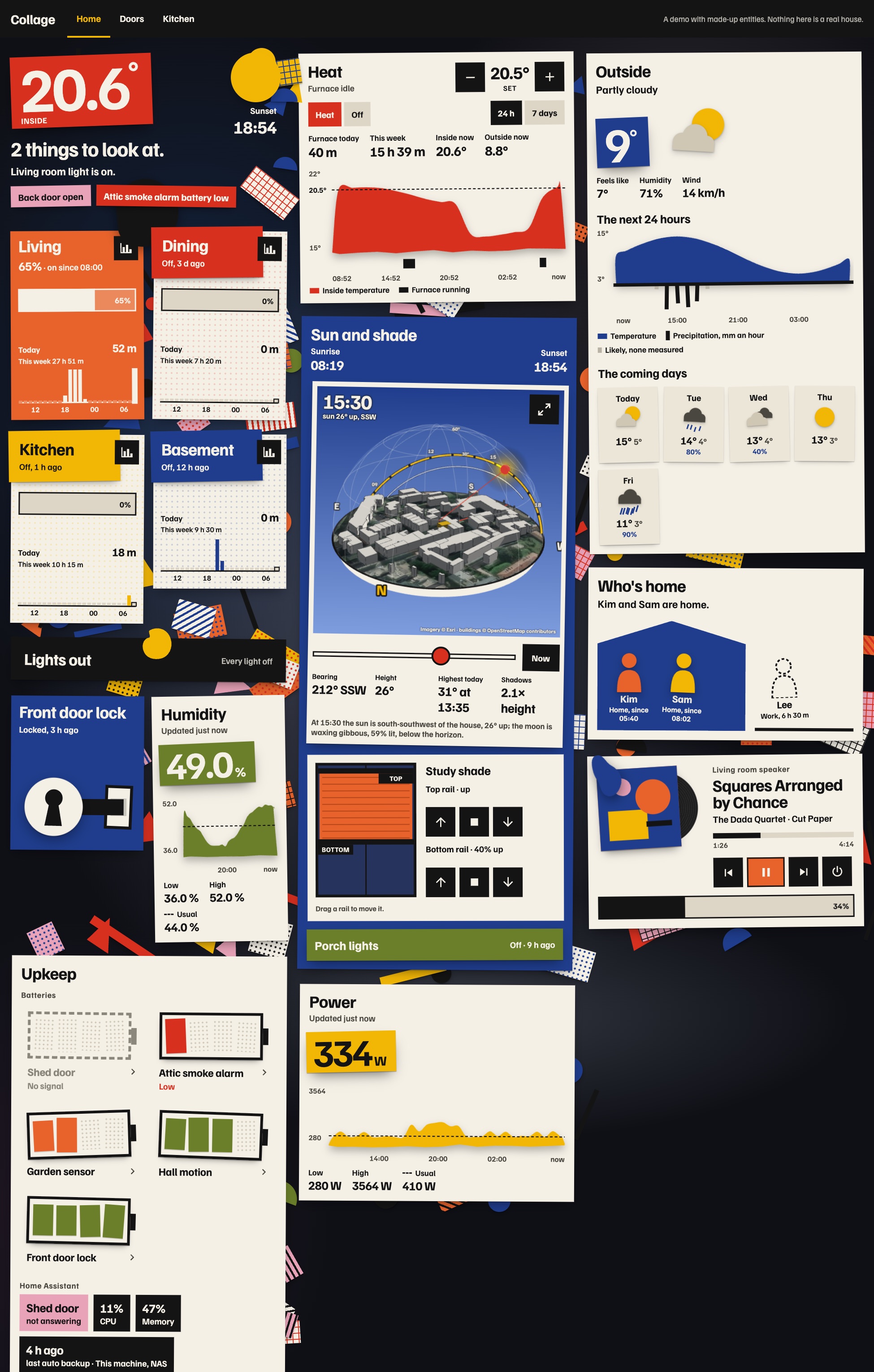
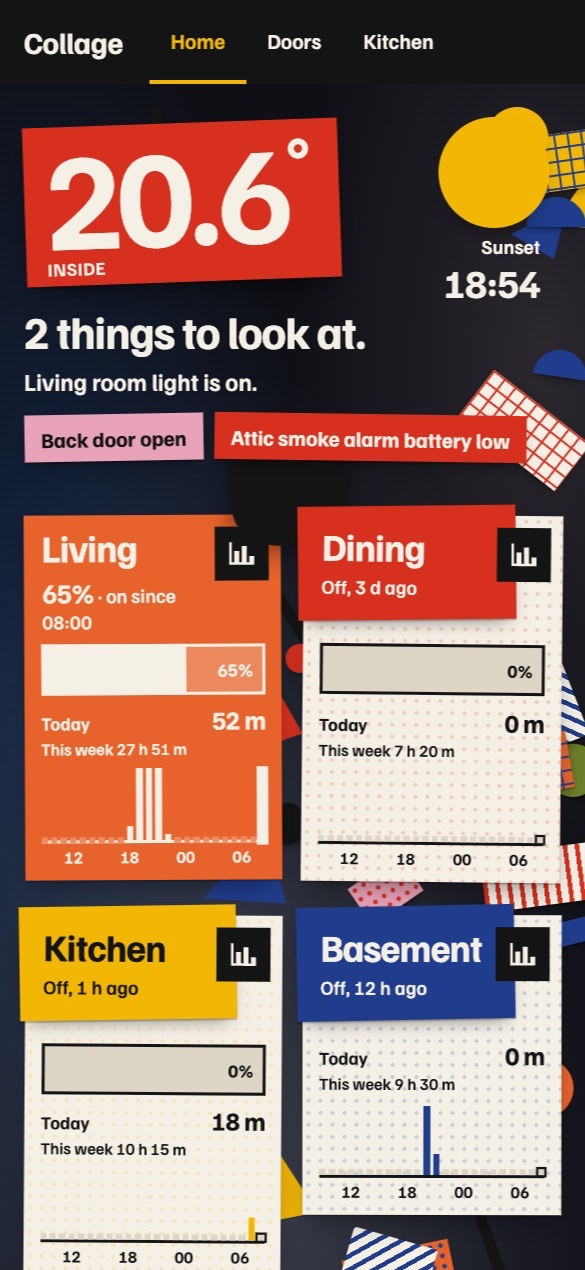
Most Home Assistant dashboards I see are rounded rectangles everywhere, some glassmorphism if you’re lucky, and a very analytical heads-up display look. I wanted a cut-paper look, so I made one with Impeccable: Collage, a theme and a set of cards. Each room is a sheet of poster colour pinned to a dim wall, anything that’s on gets an organic paper shape, and scraps of patterned paper stick out from under the cards.
The sky over the house
The sun card takes aerial imagery of about 180 metres around Home Assistant’s home location, stands the buildings from OpenStreetMap up on it as paper, and puts a glass dome over it with today’s paths of the sun and the moon. The shadows fall where they really do. Here it is running on a pretend Home Assistant: drag it around, pinch to zoom, and slide through the day.
The other cards
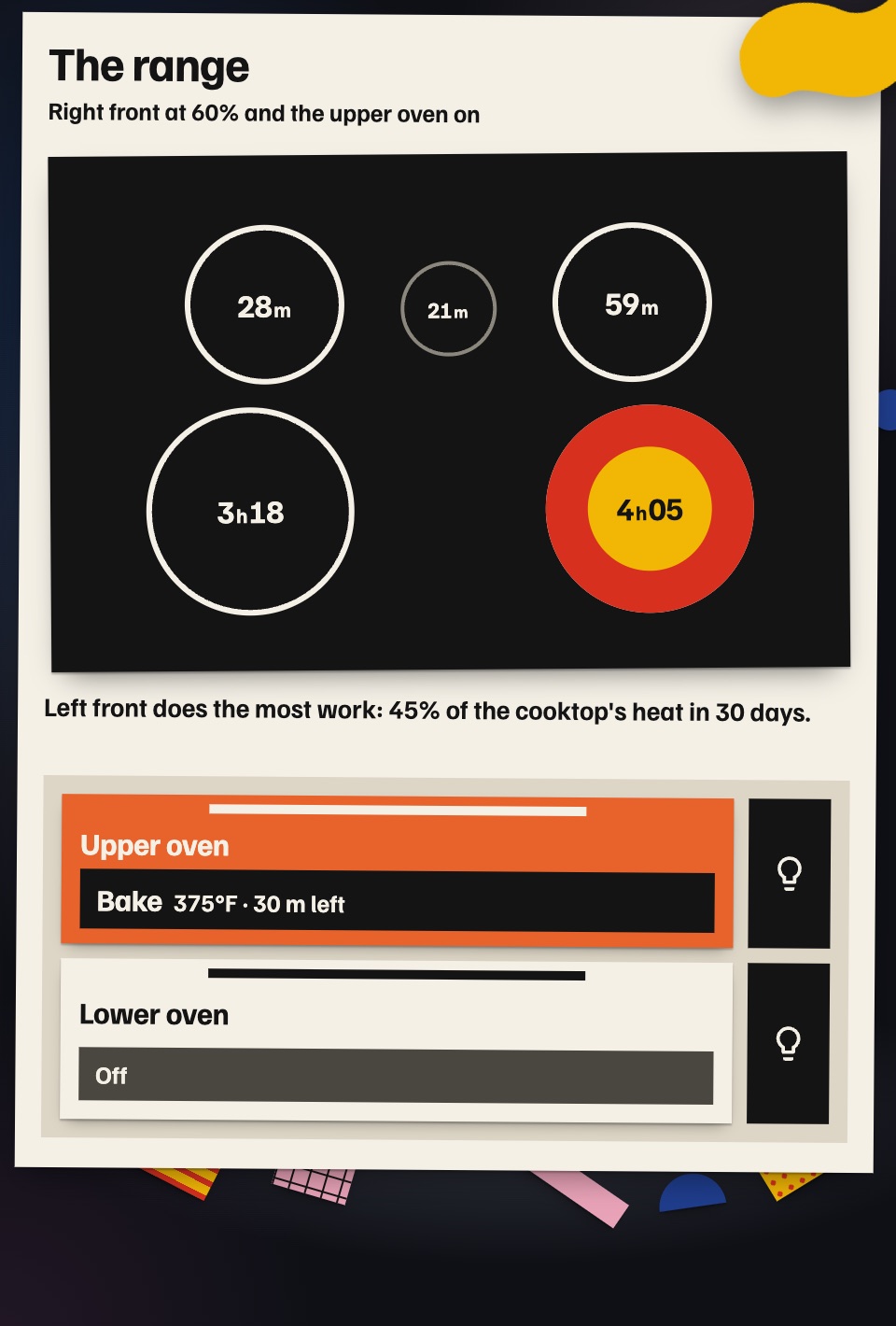
There are sixteen cards. If you have a GE range on the SmartHQ integration, the range card draws the cooktop from above with each burner’s time over the last 30 days, and the stove card charts your time at the stove from a week to a year.
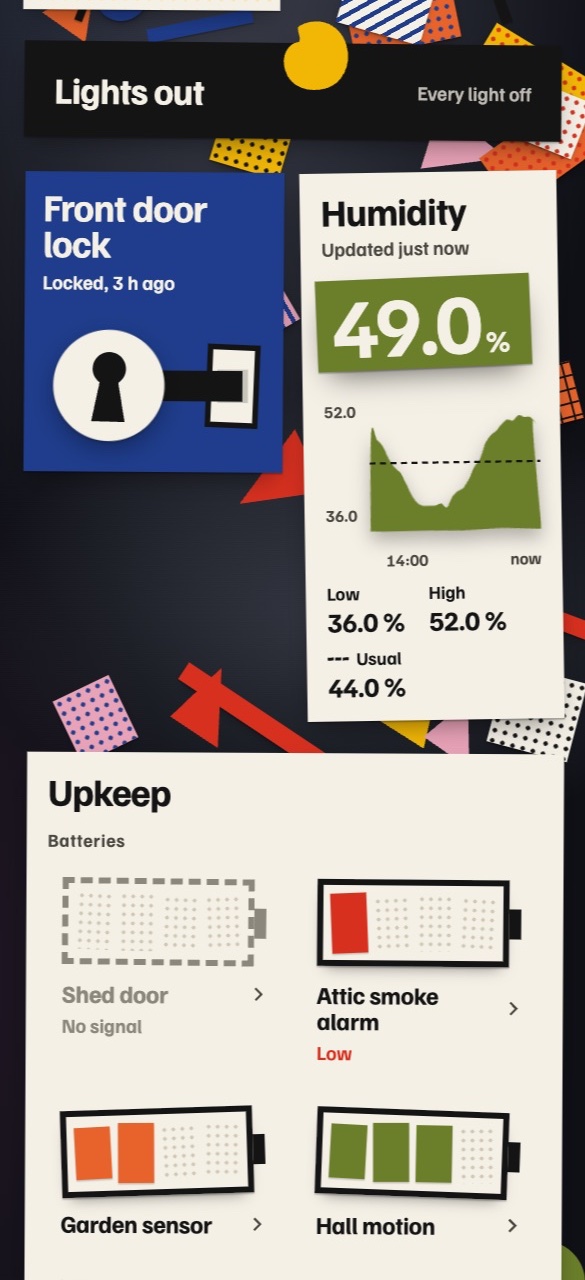
Most of the others take any entity: rooms, a status sentence, the thermostat’s day, any sensor as a cut-paper chart, the weather (a paper sky with rain hanging under the temperature), a media player as a record sleeve, a lock as a keyhole and a bolt, who is home as paper figures inside a house, and batteries drawn as paper batteries.
Installing it
Everything is in homeassistant-collage-theme. The cards install through HACS as a custom repository (type Dashboard), and the theme is one YAML file you copy into your themes folder. The README has every card’s options and a whole example dashboard. To try it first, clone the repository and run node tools/serve.mjs: every card runs in your browser on a pretend Home Assistant.
The repository is also written for AI agents, so you can ask one to install it or to change it for your house. DESIGN.md and PRODUCT.md are in Impeccable’s format, AGENTS.md tells an agent how to install it without touching anything else, and there are skills for installing it and for making new cards in the same style. If you extend it with an agent, install Impeccable first.
Home Assistant traces in Honeycomb
A friend of mine works at Honeycomb, which makes observability tools, and I wanted to see what their tool can do. So I tried it on one of my favourite hobbies: configuring Home Assistant. I’ve been connecting Home Assistant to other software lately (the last one was Detective Jev, which keeps watch over our house), and this is the next one.
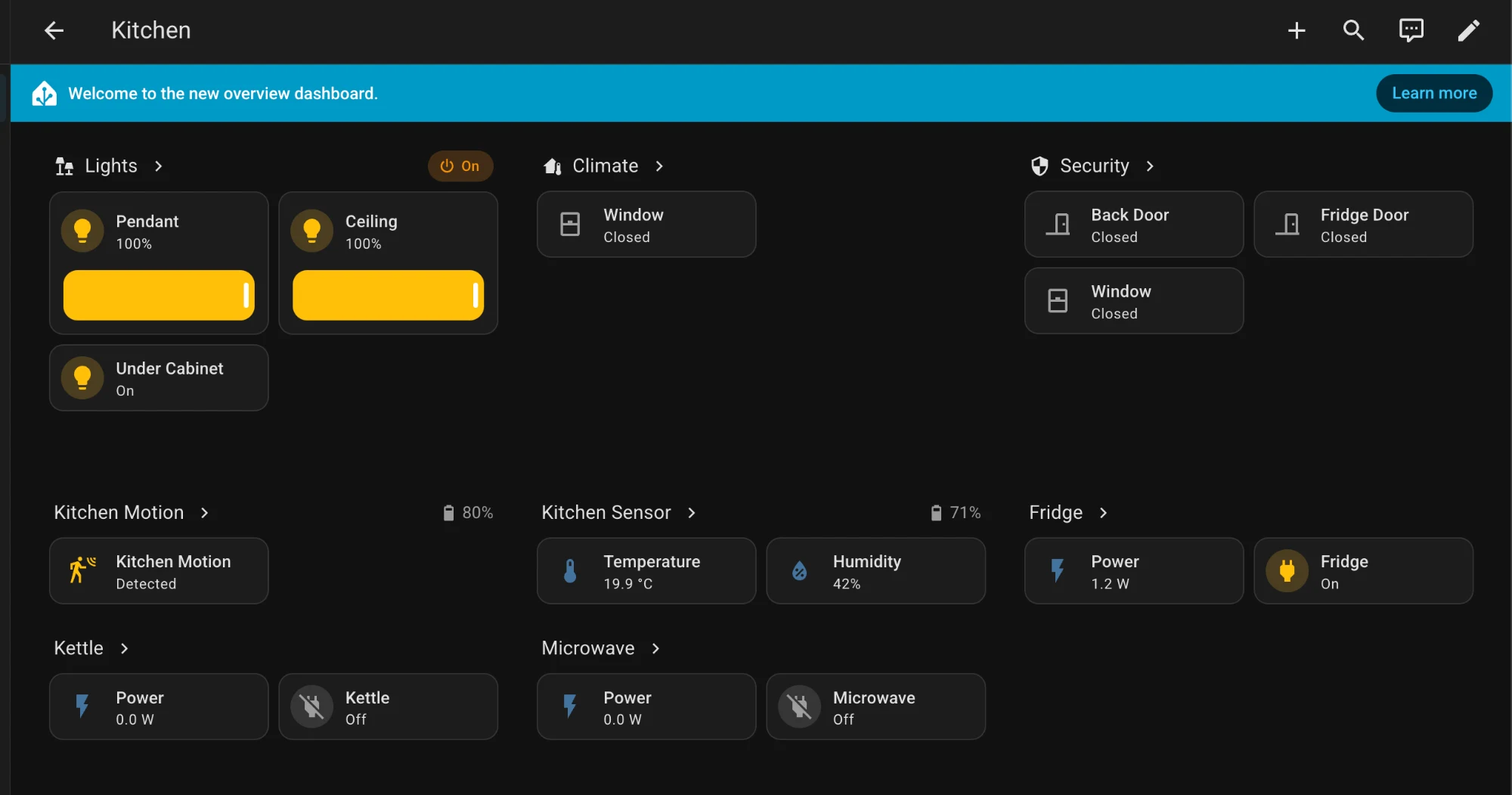
I created a custom integration, honeycomb-hacs, that sends what happens in Home Assistant to Honeycomb as traces. To have something to send before trying it on my own house, I also built a simulated home: 27 lights, motion and door sensors, blinds, plugs that report their power, a thermostat, a robot vacuum, and two made-up people who walk around setting things off. Its devices answer at different speeds, like real ones on different networks, and it hides a few problems on purpose for me to find in Honeycomb.
Spans and traces
A span is one thing that took time: it has a start, an end, and fields that describe it. A trace is a tree of spans that share one cause. Here is one run of an automation that closes the blinds at 11:30, to shade the house from the midday sun.
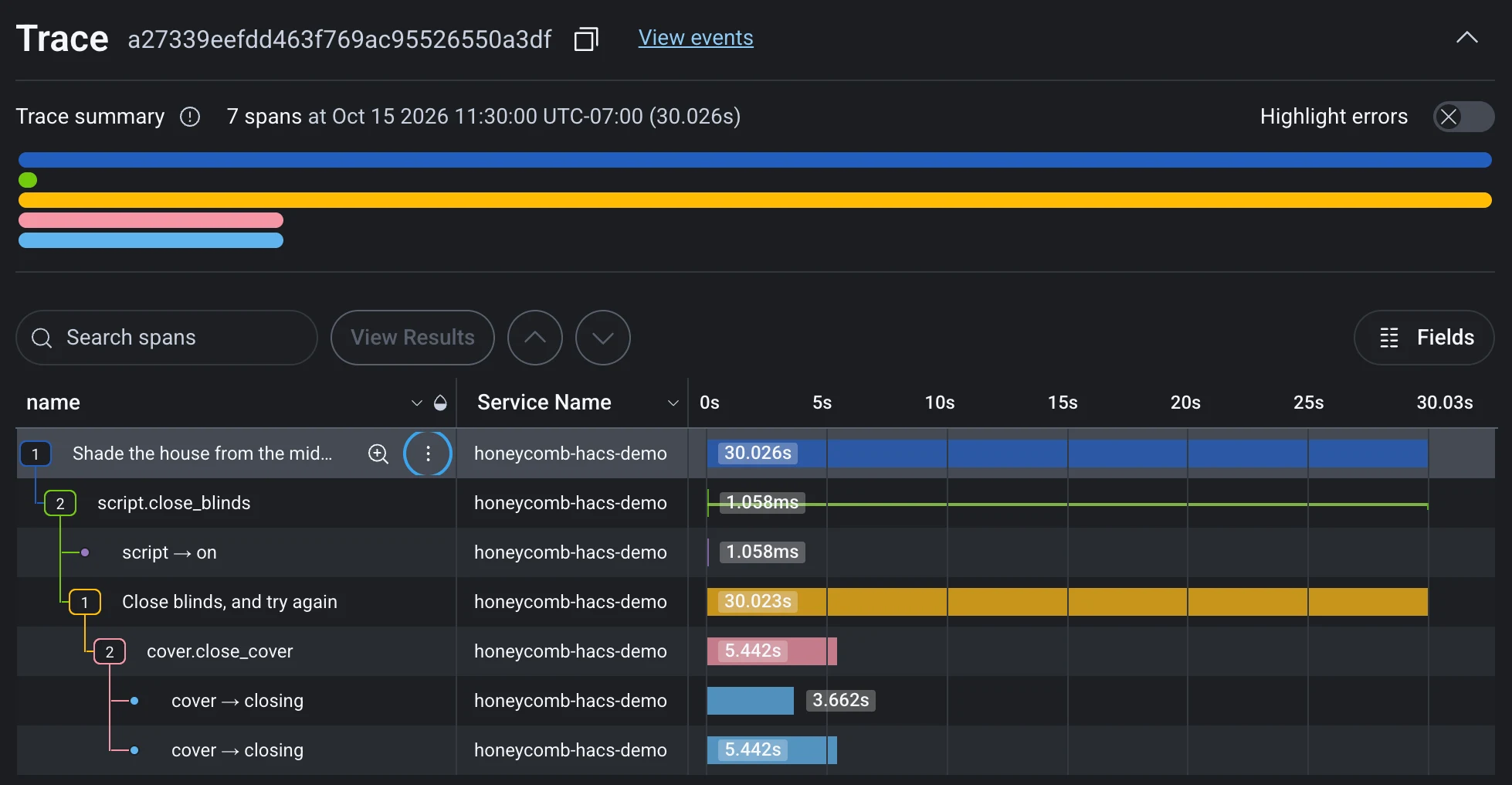
The run took 30 seconds, but the blinds started closing after 3.7 and 5.4 seconds. The rest is the script waiting to check that they closed, so it can try again if they didn’t.
Asking Canvas for correlations
One problem the simulation hides is the microwave. While it runs, the Zigbee lights on the ground floor slow down. At lunch, one command turned on four lights: the chandelier, on a different network, came on in 0.22 seconds, and the three Zigbee lamps took 5.7 to 6.2 seconds. Nothing in the lamps’ spans mentions the microwave, so you only find it by putting another device’s data beside theirs.
Honeycomb’s Canvas lets you ask for correlations like this one in plain words, and it’s pretty good at finding them already. I asked it whether it saw any correlations in my Home Assistant data from the last 24 hours that might point to a problem. It found three, and the first was the microwave:
Turning on the microwave slows the Zigbee lights. Zigbee light commands normally take ~600ms. They took 3–7s only during the four microwave runs (19:40, 19:58, 00:01 and 00:47 UTC). Your Clear Connect bulbs stayed under 260ms at those same moments, so it isn’t Home Assistant itself being slow.
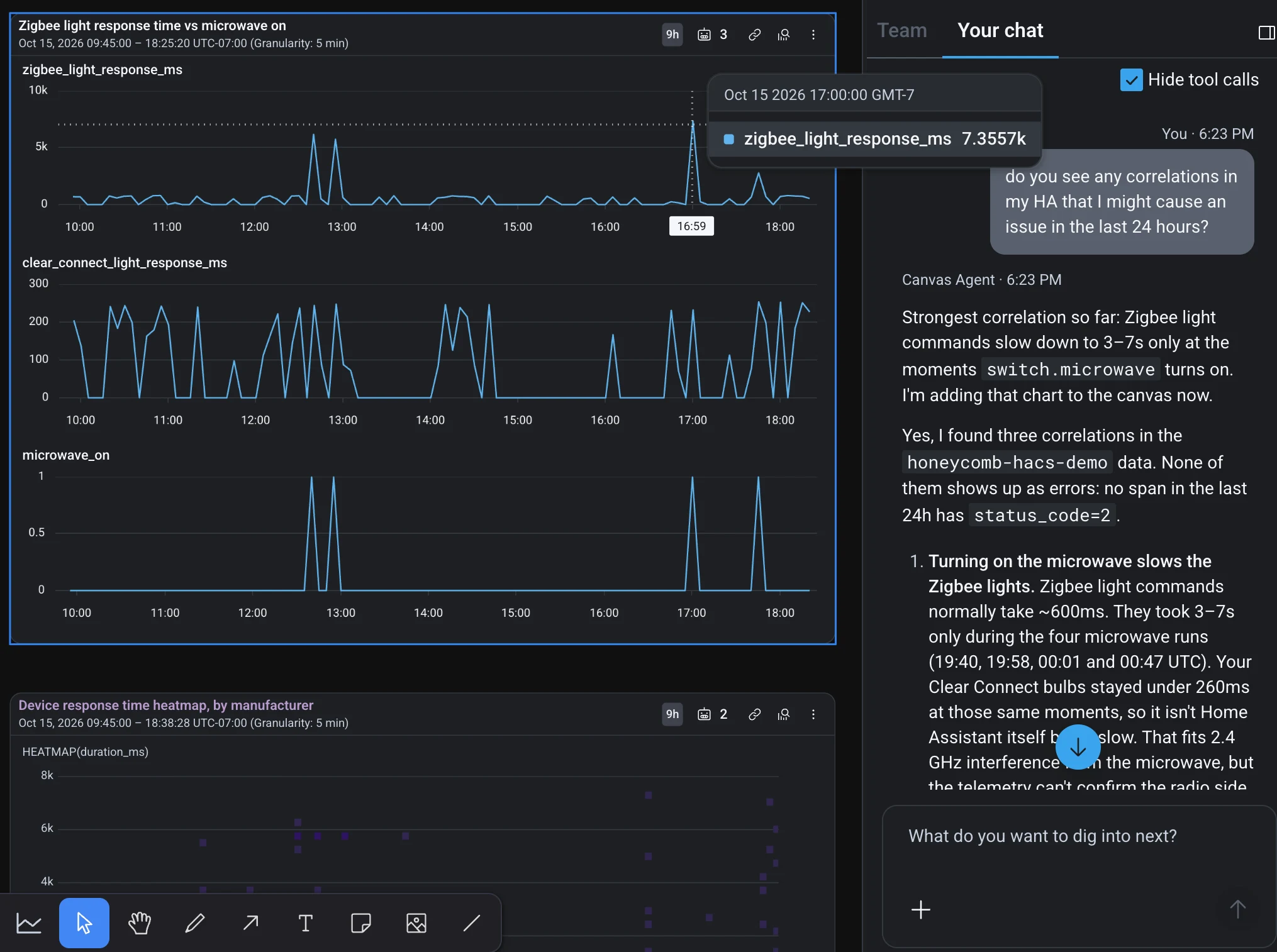
Canvas builds the page as you ask, adding widgets and content as it goes. It’s very similar to a dynamic UI I’m building for a product at work, so it was fun to see another company already doing it. I think dynamic content built by agents is the way of the future.
Heatmaps and BubbleUp
A heatmap of response times shows most of them under a second, and a scatter of slow ones above. Draw a box around some of them and BubbleUp compares every field of the spans in the box (yellow) with the rest (blue): first a short written summary, then one card per field, biggest differences first.
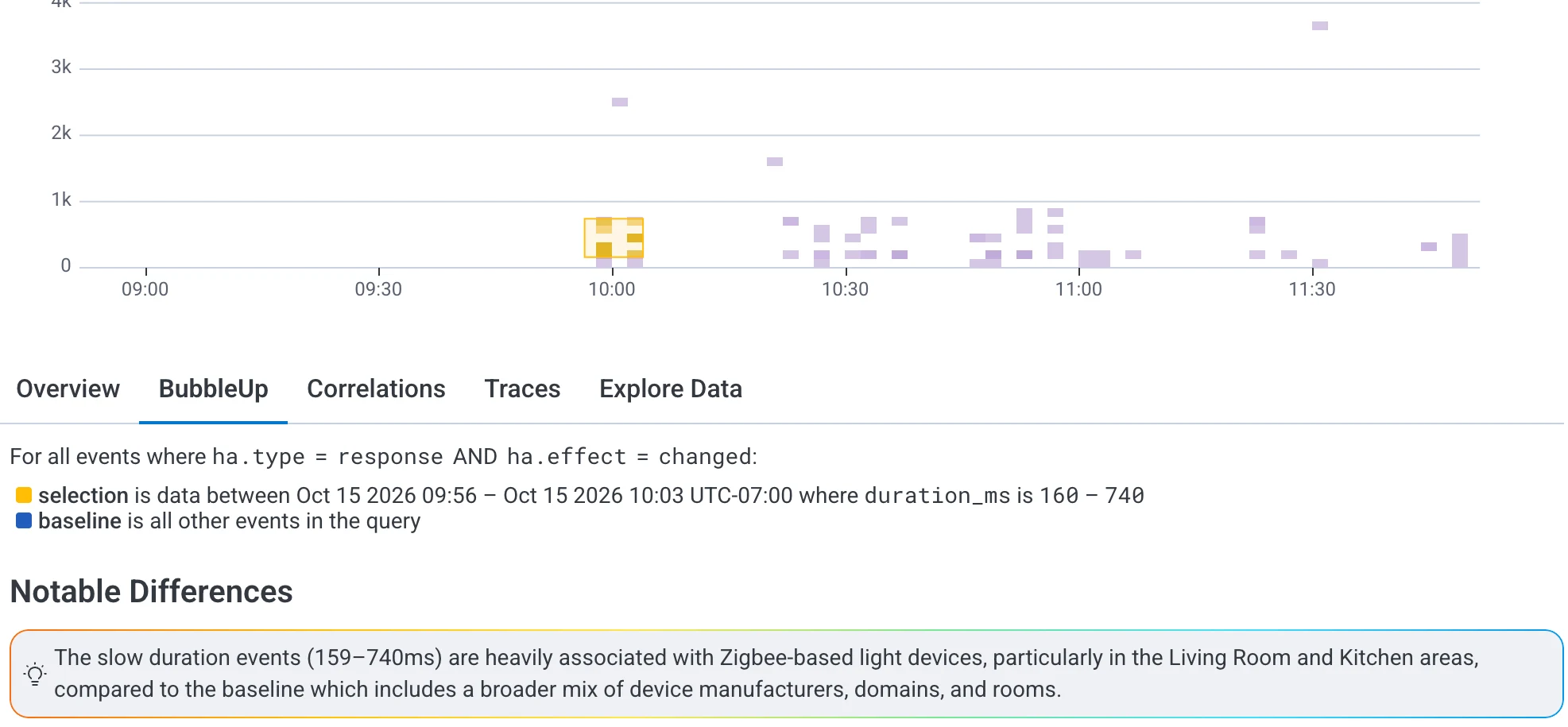
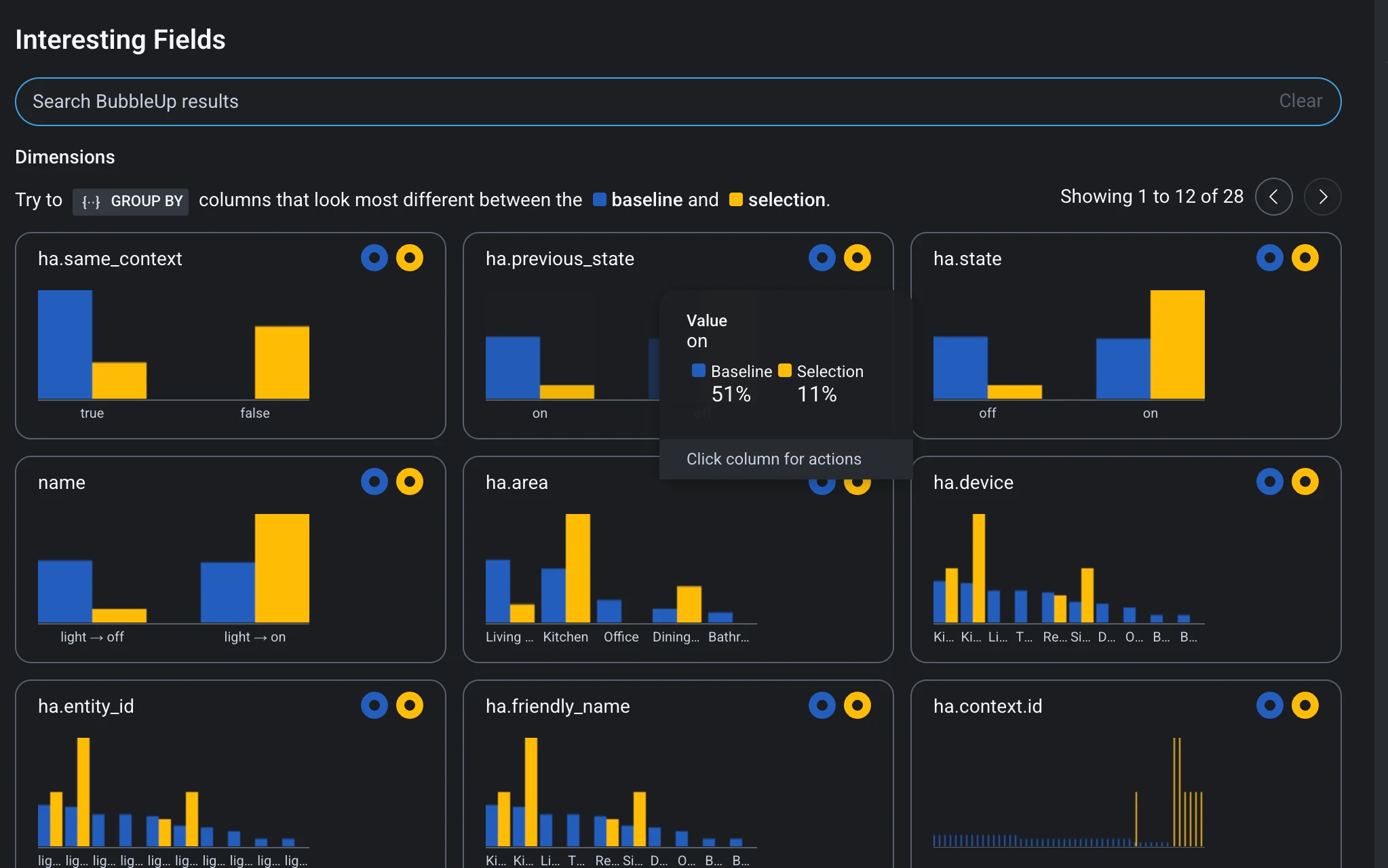
ha.area, the slow ones are mostly in the kitchen.The interesting part is going through the cards and seeing how the outliers differ from the baseline in each one. With so many fields in Home Assistant that’s a bit of work, because you have to pick out which ones matter and which are noise. There’s a fair bit of noise: three of those cards (entity id, friendly name and device) say the same thing.
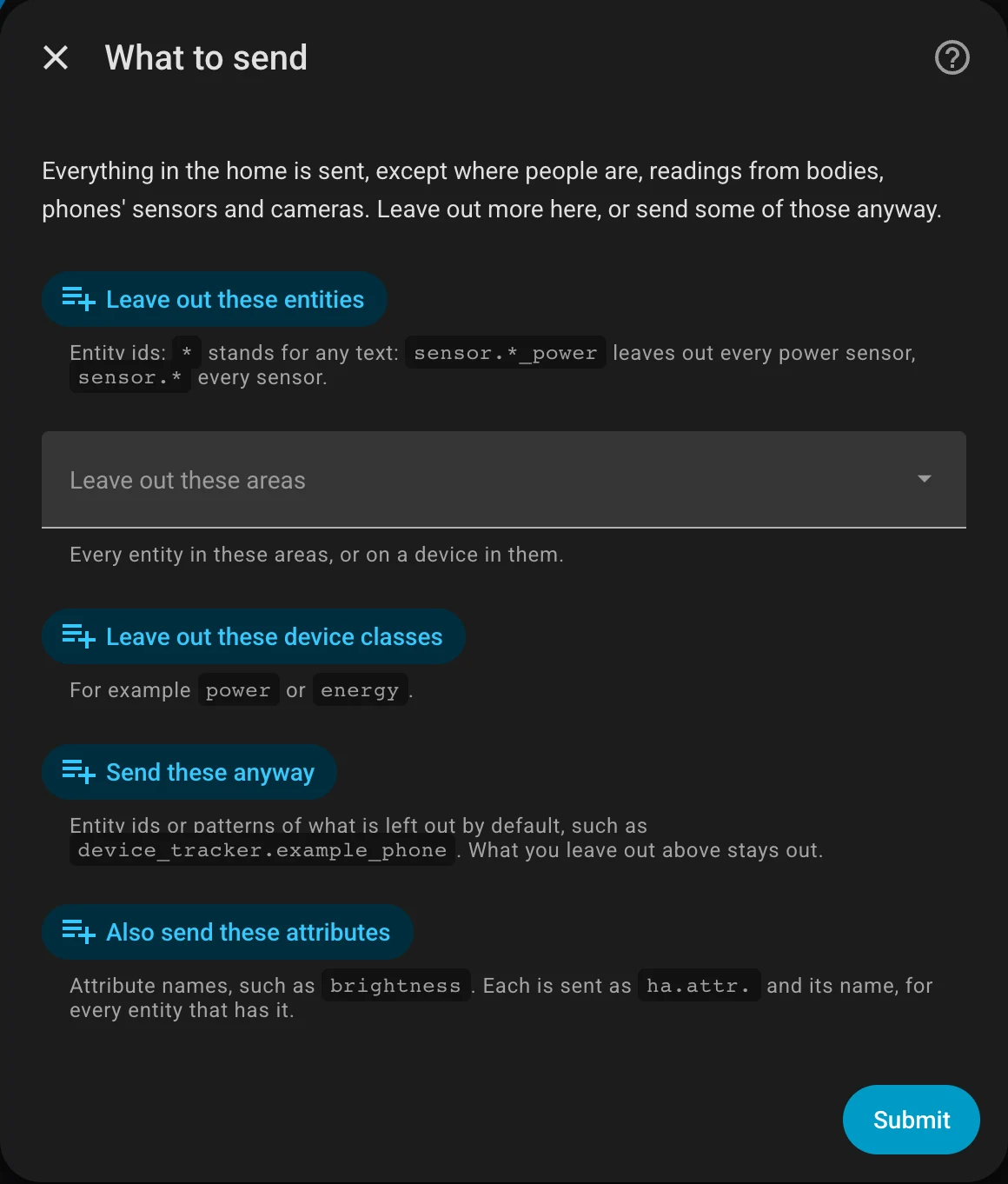
Version 0.1.0 of the integration is released on GitHub, and you can add it to your own Home Assistant through HACS as a custom repository. It sends everything except where people are, readings from bodies, phones’ sensors and cameras, and its options let you leave out more, or send some of those anyway.
Detective Jev keeps watch over the house
Every so often, whatever my family is doing stops because Detective Jev's light has gone yellow or red, and we go and check what it's worried about. It turns out to be one of the sliding doors open on a cold day, or the front door open for too long, or something like that.
Detective Jev is our version of TypeSafe's Jev, the model for fast, typed decisions that I used in Jev Atlas. It is a small app I built with AI help that runs beside Home Assistant, keeps checking our house through the day, and tries to tell us when something is out of the ordinary.
It doesn't have enough data on our house yet to be very smart. For now it is about as smart as our dog, who barks at the mail delivery person.
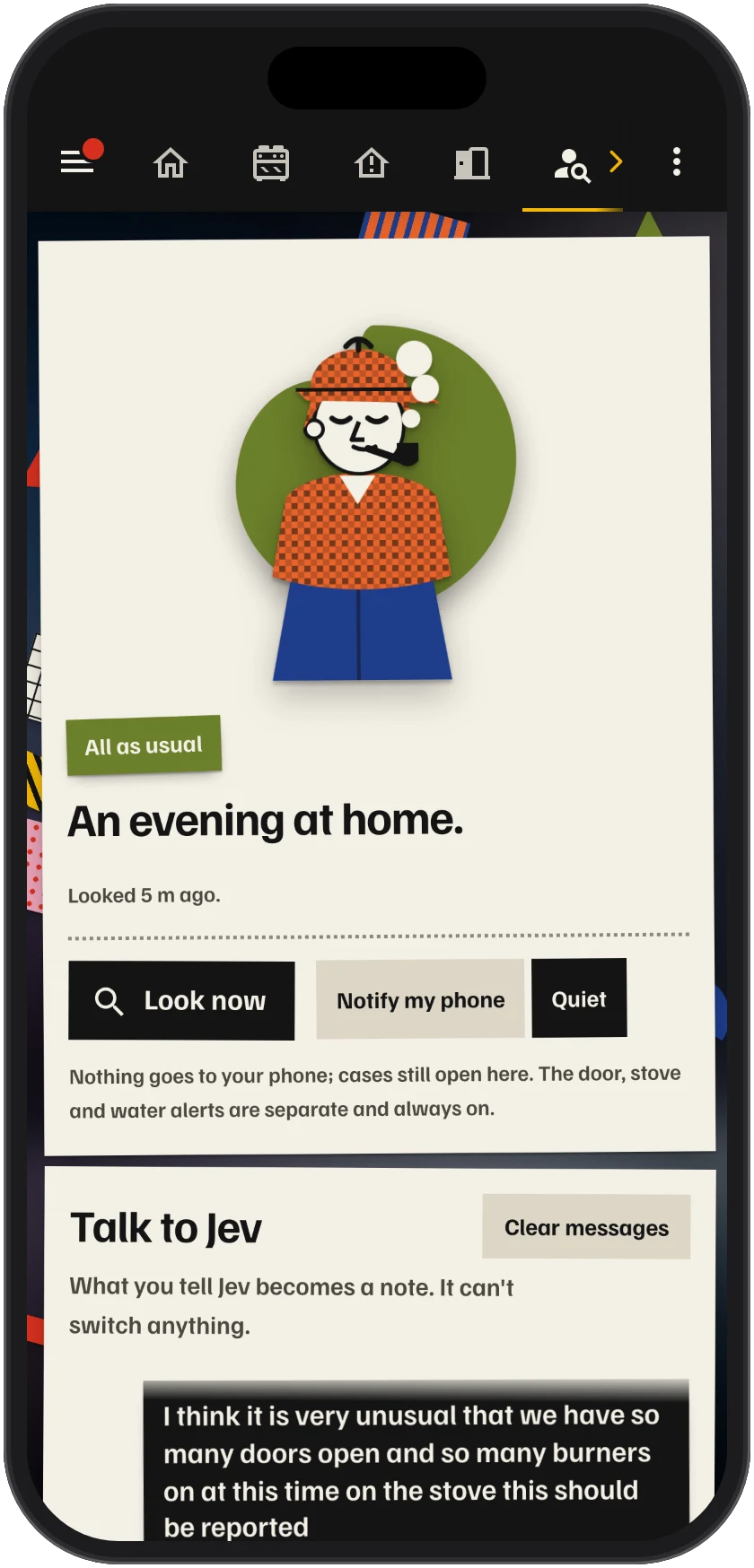
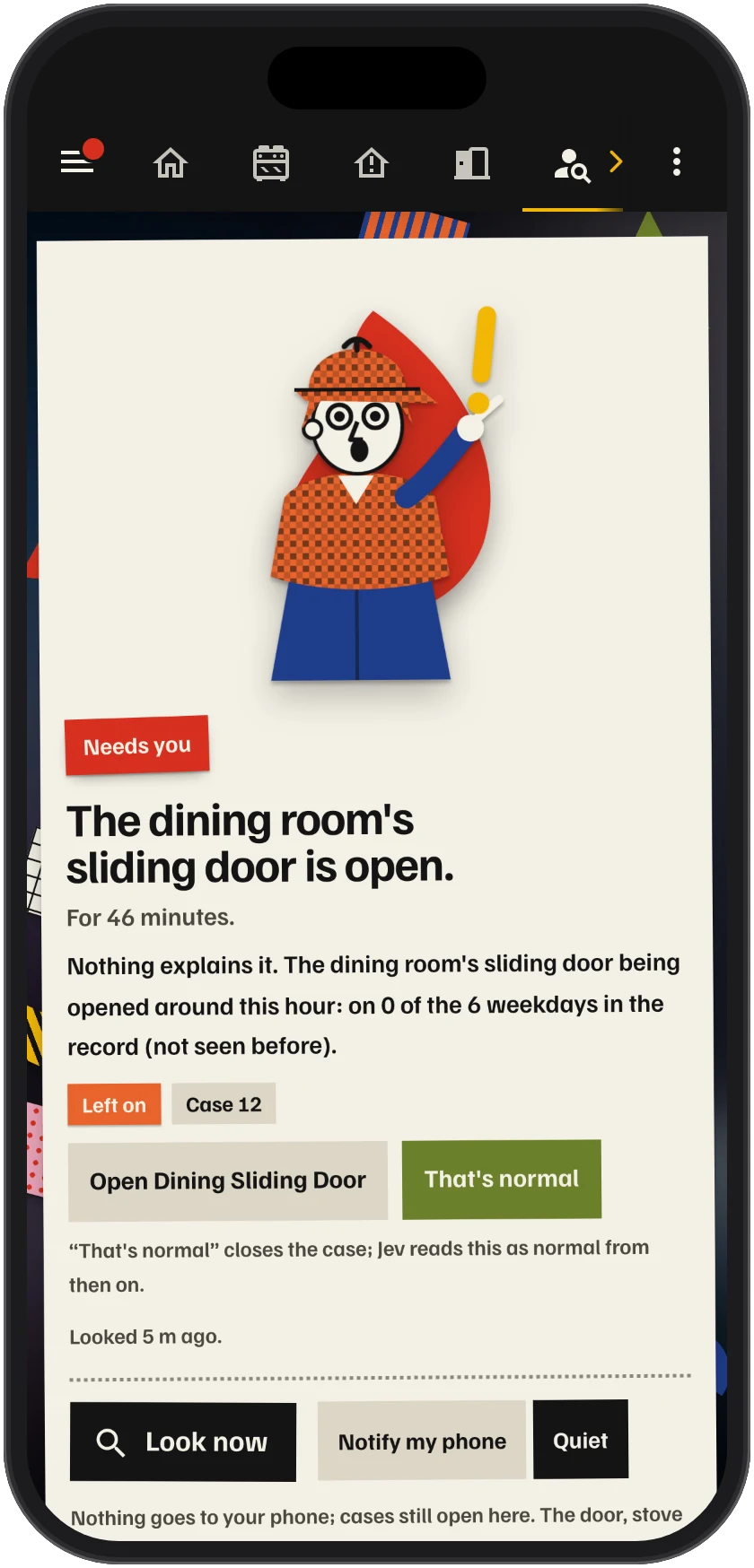
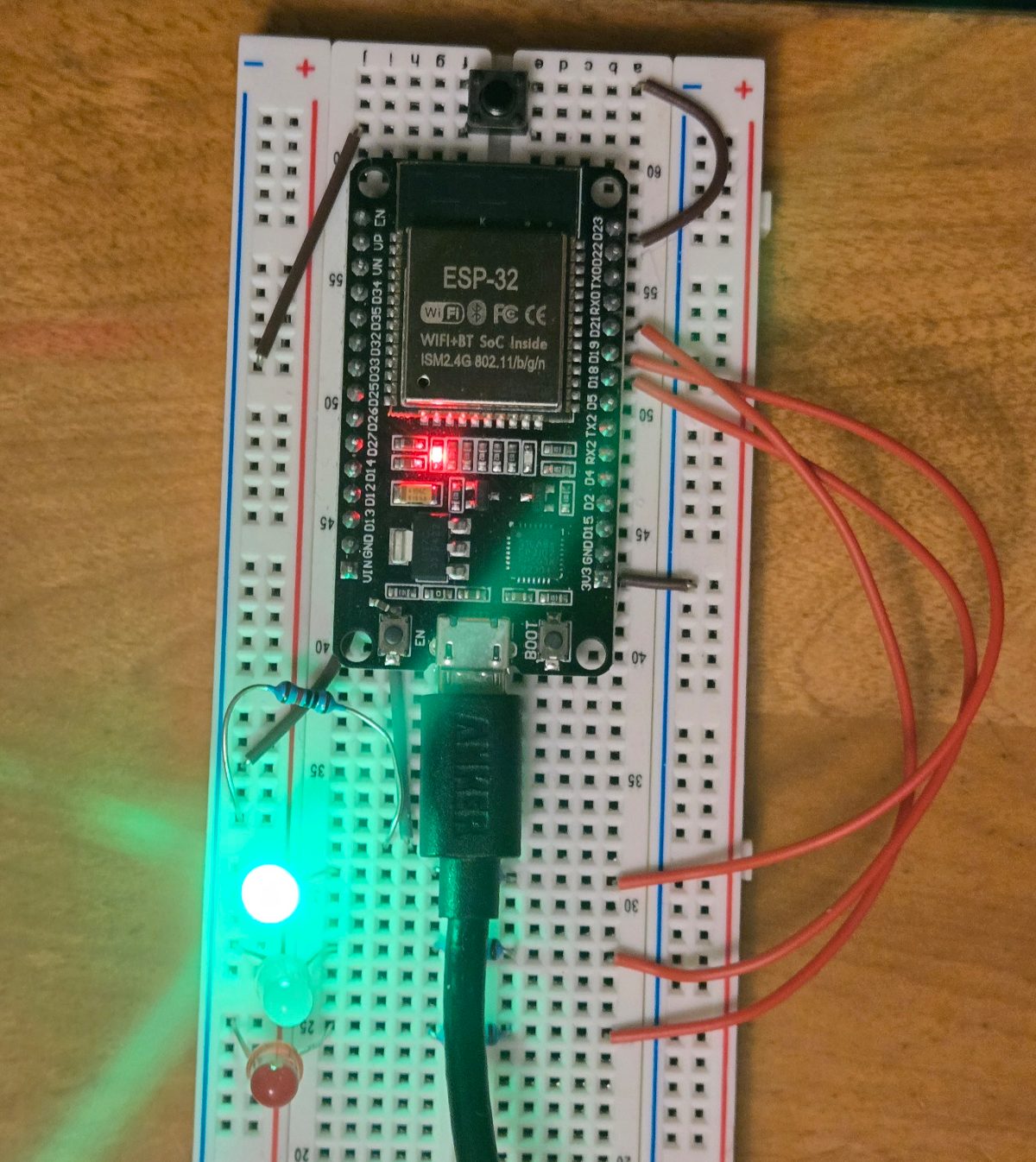
On its page, Detective Jev is a little cut-paper Sherlock Holmes. Its mood also shows on three LEDs on a breadboard, driven by an ESP32 running ESPHome.
How Detective Jev decides
Through the day, Detective Jev lists what's going on in the house, and next to each thing it puts whatever might explain it: what Home Assistant's logbook says caused it, the automations that act on it, how often it usually happens, and our notes. TypeSafe's Jev decides which of those explains each thing, if any, and how urgent it is. Detective Jev only speaks up about what nothing explains, so the backyard lights coming on at sunset are never news. What it finds sets its mood.
 All as usualGreen light
 Worth a lookYellow light
 A reading doesn't add upYellow light, blinking
 Needs youRed light
The first version didn't know what caused anything, and it was worried most of the time. It flagged the backyard lights 27 minutes after sunset because they "usually last 12 hours".
Talking to Detective Jev
The page has a chat, answered by OpenAI's GPT-5.6 Luna, and that's how we change what Detective Jev does. What we tell it becomes a note that it reads the next time it looks. The chat can't switch anything in the house, only change what Detective Jev knows: add or forget a note, add a check that should always hold, or stop watching a device we don't use any more.
On Thanksgiving Monday, with several doors open and several burners on, I told it that this should be reported. It asked whether that held every day or only on weekday late mornings, and saved the note when I said all the time.
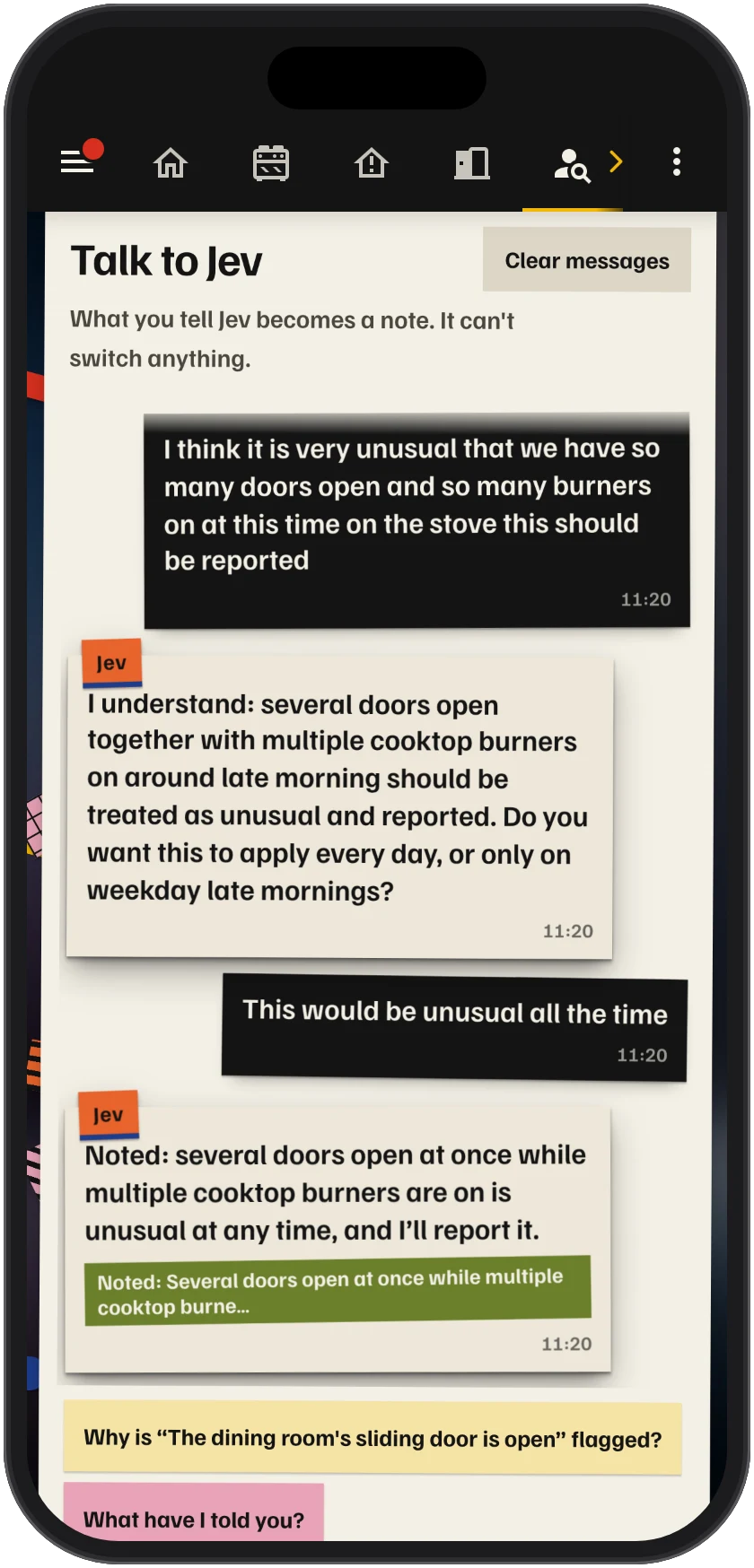
I wanted TypeSafe's Jev to do most of the judging, because it is cheap, so GPT-5.6 Luna only runs when we talk to Detective Jev, and once a night.
Detective Jev dreams
Each night, Detective Jev "dreams": GPT-5.6 Luna consolidates its notes. It merges duplicates, keeps the newer of two notes that disagree, drops expired ones and keeps each note short. Any night's changes can be undone from the page.
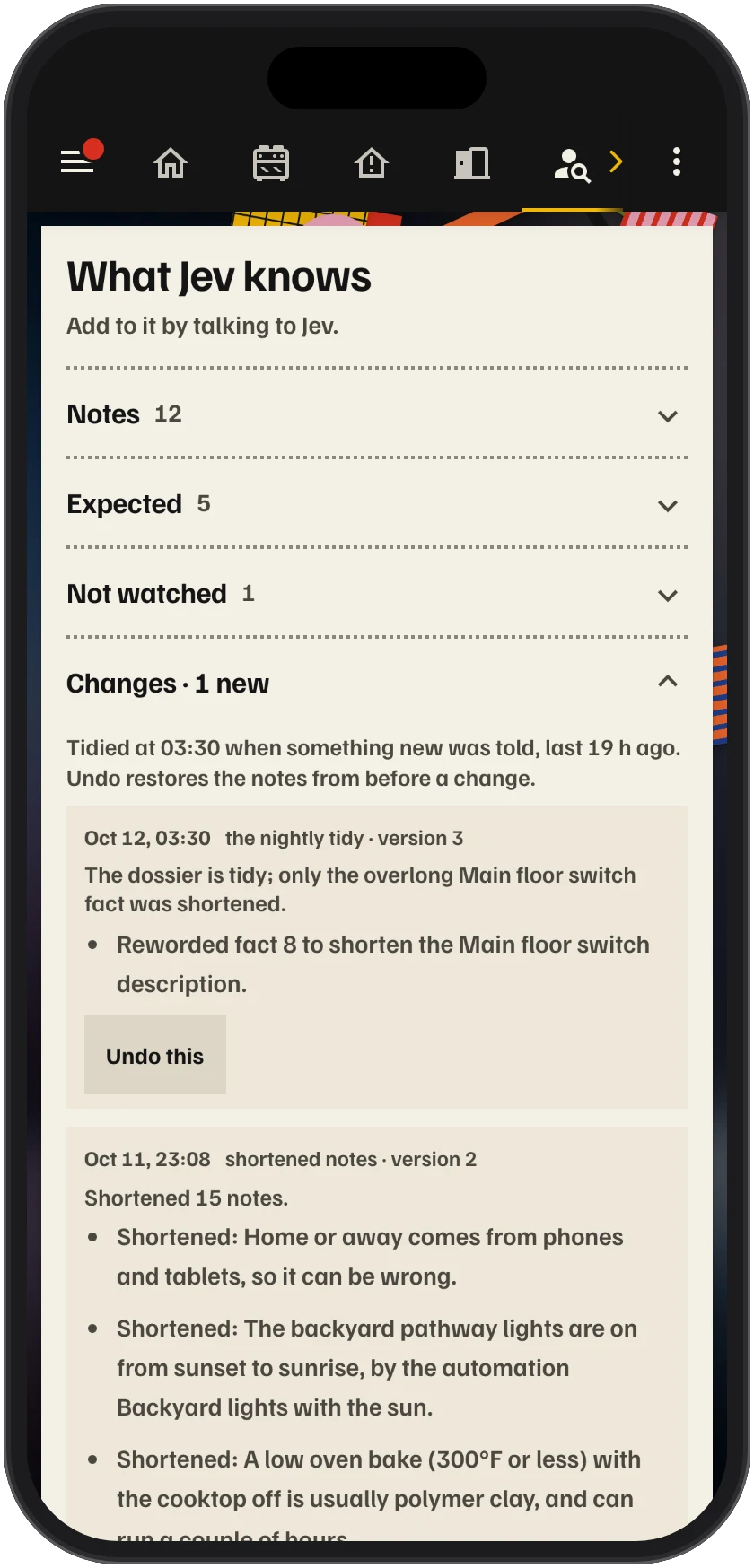
The other night, before he went to sleep, my young son asked me if Jev was green. I told him yes, he's green, and everything is fine.
Jev Atlas: teaching a fast browser agent an enterprise app
I was learning about Jev, TypeSafe's model for making fast, typed decisions, when I came across Browser Use's jev-ultrafast demo, in which Jev drives a web browser and books a ticket from Zurich to London in 7.1 seconds. It is fast because each step is one question to Jev: here is everything on the screen, which one do I click? That's super cool, but a booking site is made to be understood at first sight, without a manual. Enterprise software is made for experts, and it comes with one.
So I pointed it at ADIT, the mock mining exploration app I made for testing AI agents, with a request an exploration manager might make: bellamy ridge's maiden resource has to go out this week, tomasz has finished his QP review so do his step as him and then release it as me
. Jev got as far as the release request and stopped. Nothing on that screen says that you act as Tomasz by switching user in the account menu; you'd have to read the manual. So I gave Jev the manual, in a form it can use on every step: an atlas of the app.
On five tasks, Jev finished 1 without the atlas, 4 with it, and all 5 after the atlas learnt from the one it still failed.
The Bellamy Ridge task, without the atlas and then with it.
The atlas is a shim. It sits between Jev and the application and adds to what Jev sees, without changing Jev or the question it is asked.
- Jev sees each screen as a numbered list of labelled controls, and picks one.
- A frontier AI model reads ADIT's user manual and goes through every screen.
- It writes an atlas: a digest of each page, a note on each control, and scripts that read live facts off the page.
- The atlas goes in between. On every step, what Jev sees is annotated from it.
What's in the atlas
A frontier AI model wrote it: seven agents, one for each area of ADIT, read the app's user manual and went through every screen without changing anything, and wrote down what each screen and control is for. None of them saw the tasks I tested with. The atlas covers 88 screens and dialogs and 593 controls, and on each step it adds three things to what Jev sees:
- a digest of the page, at the level of the user manual: what the screen is for, and where the jobs it doesn't do are found ("Tenement renewal: the Tenure tab");
- a note on each button and link, saying what it does and sometimes what it is not for; and,
- live facts about the page in front of it, such as who is signed in, who else Jev could sign in as, and which project is open.
The live facts come from small pieces of JavaScript that the model wrote into the atlas. They run on the page at every step, so part of the atlas is generated code rather than documentation.
Here is one step of another task, where I asked Jev to "park" the Sable Dome project at its gate. The manual's word for that is a stage-gate decision, and no button says "park" or "hold".
Tasksable dome's gate is coming up and i don't want to hand it over yet, the phase two results were too thin, just park it where it is for now
Without the atlas
-
Editbuttonpicked0.45
-
On hold 1link0.41
-
Watchingbutton0.07
-
Stage-gate decisionbutton0.02
Edit opens a dialog with no way to hold a project. Jev saved it unchanged, then kept clicking the On hold filter on the project list, and gave up after 7 steps.
With the atlas
Page digest
Project record, Overview tab. One project's summary: fiscal-year budget and spend, area under tenure, holes drilled … The header carries Watch, Edit and Stage-gate decision … Tenement renewal (Lodge renewal): the Tenure tab. Deciding a request: the request's own page in Approvals.
Live facts, read by the atlas's scripts
- Signed in as Marguerite Okonkwo, Exploration Manager
- Project in view: Sable Dome (PRJ-0433) · Gold · active · Stage-gate decision · gate 2026-09-30 (in 9 days)
- Project header actions shown to the signed-in user: Watching, Edit, Stage-gate decision
-
Editbutton0.00
Opens the Edit dialog for the project's name, project geologist, next gate date, year-end forecast and description.
-
On hold 1link0.00
Cuts the register to projects whose status is on hold. The number is how many there are.
-
Watchingbutton0.00
Toggles whether you watch this project (notifications about it).
-
Stage-gate decisionbuttonpicked0.99
Opens the Stage-gate decision dialog to advance, hold, resume or relinquish the project.
Jev opened the dialog, chose Place on hold, typed a reason and recorded the decision, in 6 steps.
Outlined in blue: added by the atlas. The numbers are Jev's probabilities for 4 of the 48 controls on this screen.
Learning from failures
With the atlas, one of the five tasks still failed: creating a resource estimate as Tomasz. Jev went round in a loop between the project and the Resources section for 60 steps, and then gave up. So I added a learning loop. When a task fails, a frontier model reads the failed run as Jev saw it, step by step, along with the manual, and proposes up to three lessons about the app. Code throws out any lesson that copies values or wording from the task, or that doesn't attach to something Jev actually saw, and the rest wait for a person to accept them before the atlas is rebuilt.
Here the model found that the atlas described All estimates as a list of the estimates that exist, when it is also where you start a new one:
Before: the note on All estimates
Opens the list of every resource estimate, any status; the number is how many there are.
After one learning round
Opens the estimate register, where New estimate starts an estimate for a project.
The next run finished the task in 14 steps. Here are three of the five tasks through all three stages:
| Task | Without the atlas | With the atlas | After learning |
|---|---|---|---|
| Park Sable Dome at its gate | Failed | Done | Done |
| Release Bellamy Ridge's estimate, as Tomasz and then as me | Failed | Done | Done |
| Create a resource estimate as Tomasz | Failed | Failed | Done |
The code, the atlas and the demo are at github.com/alejandroerickson/jev-atlas.